Move research forward, share notes, and discuss the work together.
Put your lab’s growing collection of records and materials to work in your next study and with connected AI.
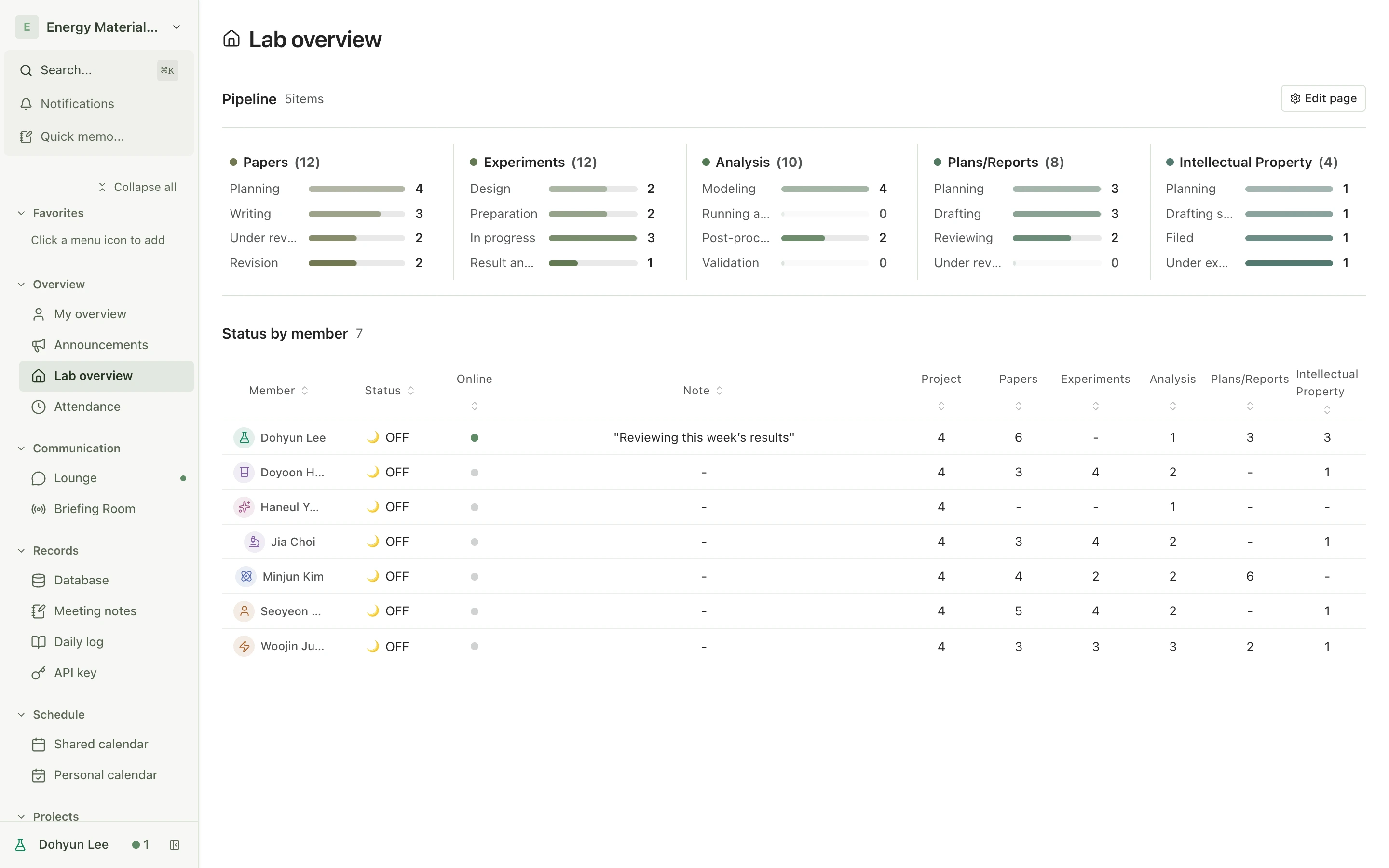
Lab overview
View full sizeSee ongoing research and team activity in one place.Actual product · Demo lab
Why Benchlog
Your research belongs together.
Even when your tools don’t.
Discussions in chat. Files on a drive. Notes in separate documents. The work belongs to the same research, but lives apart.
The discussion leaves the work behind
You remember the decision, but finding the materials and conversation takes another search.
Everyone keeps a different record
When methods and feedback are scattered, the same explanations have to happen again.
Progress takes another check-in
Who is working on what, how far they have got, and what comes next all need asking.
The tools your lab uses. One shared workspace.
Communication
KakaoTalk · SlackChat · Briefing rooms
Discord · TeamsVoice calls
Gmail · OutlookMail
Records and collaboration
Google Docs · Hancom DocsShared documents
Excel · Google SheetsSpreadsheets
FigJam · MiroWhiteboards
Research and materials
Methods and observationsResearch notes · Team feedback
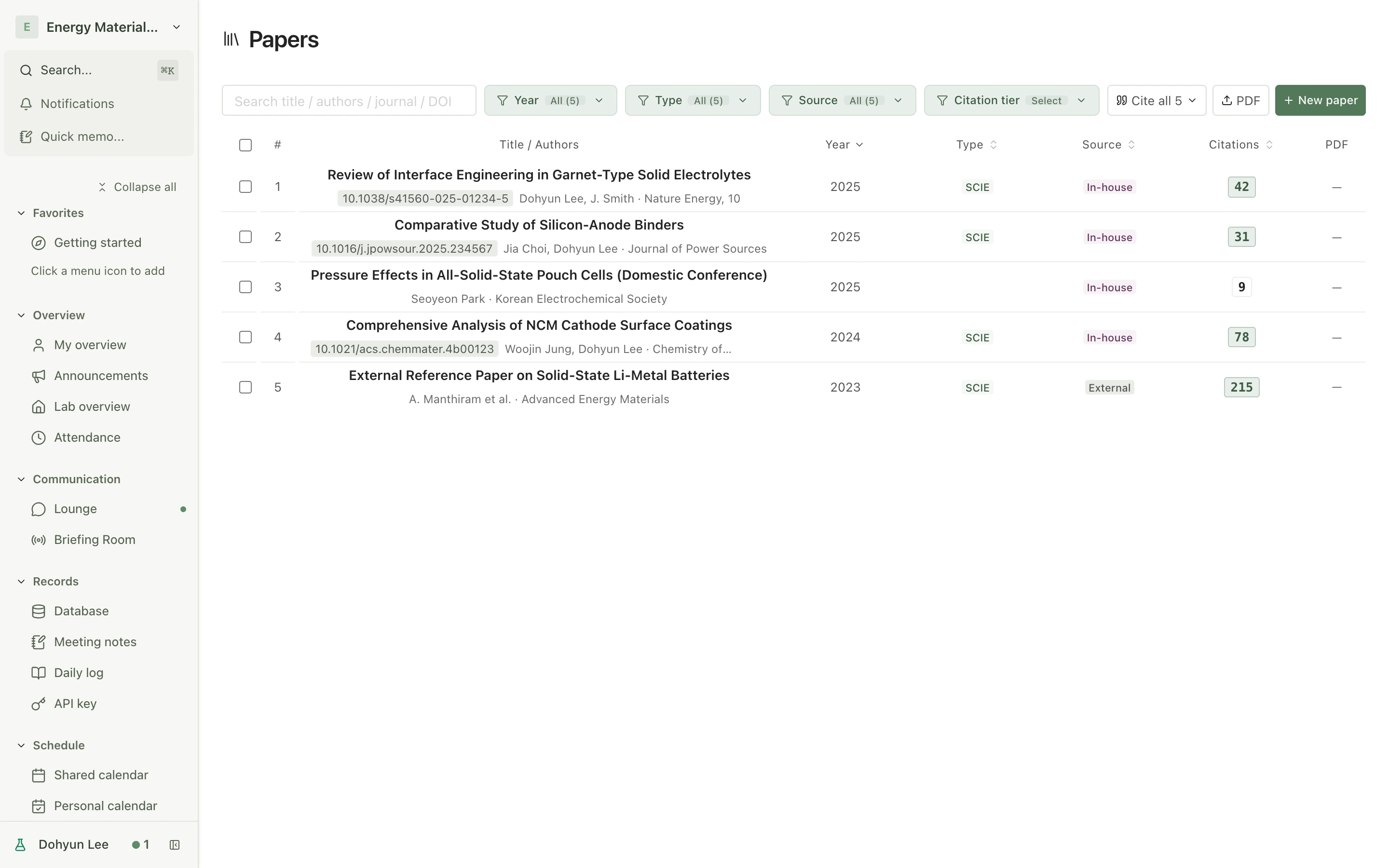
Papers and referencesPaper management · Archive
Finding earlier workDatabase · Search
Planning and operations
Lab meetings and schedulesShared · Personal calendars
Project progress and spendingProjects · Budgets
Specimens and inventoryLocation · Status tracking
Put shared records and feedback to work in your next study and with connected AI.
01Research
Know where things stand.
See what comes next.
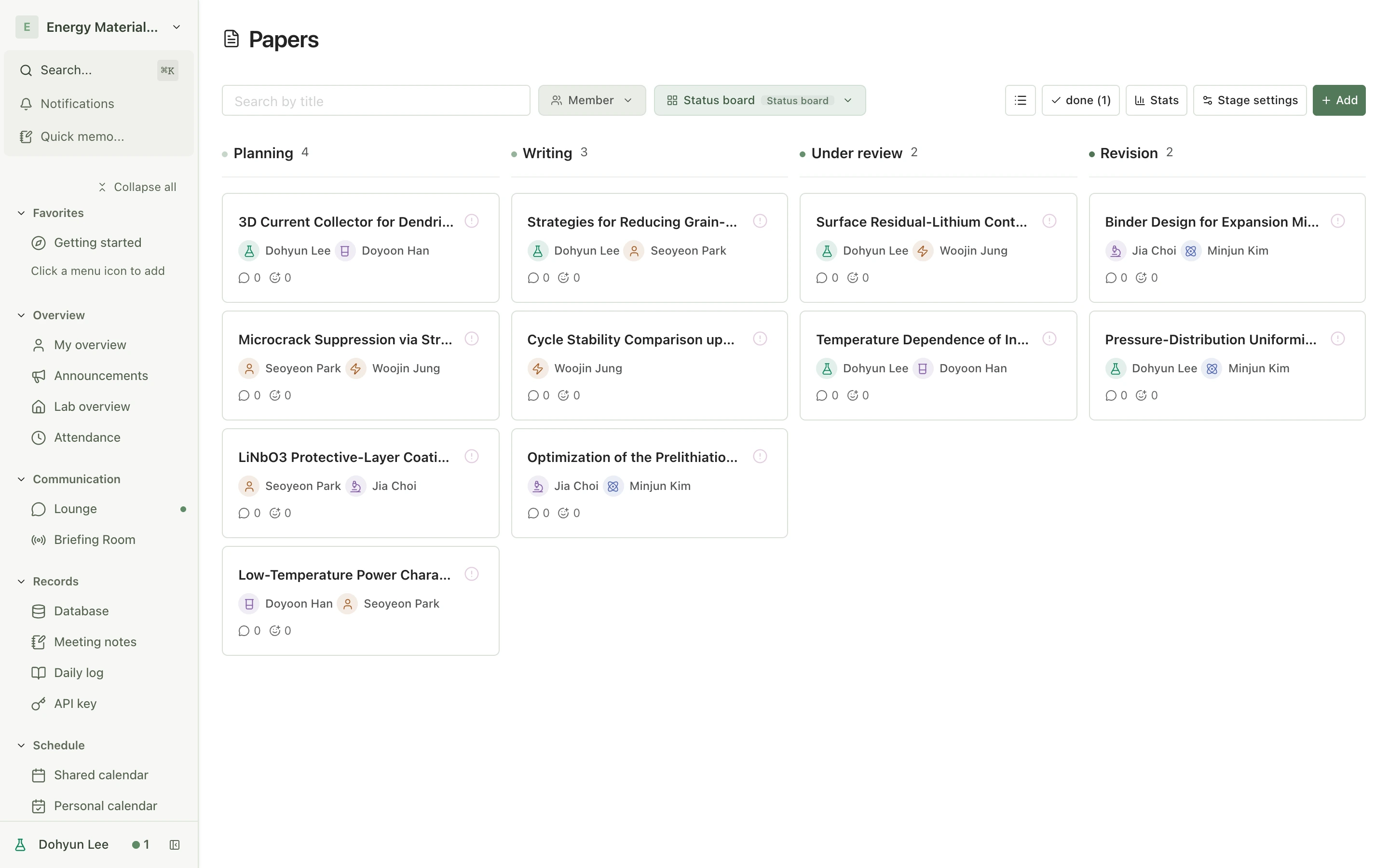
See which papers are under review, who owns each experiment, and which deadlines are coming up. Track research through stages built for the work.
View full sizeA research board with stages, owners, and dates for each paper.
02Work, shared and recorded
Turn today’s notes
into the next discussion.
Share a result, ask a question, and decide what comes next. Researchers and PIs can discuss the work with the same materials in view.
Team workspace
Keep materials in the conversation
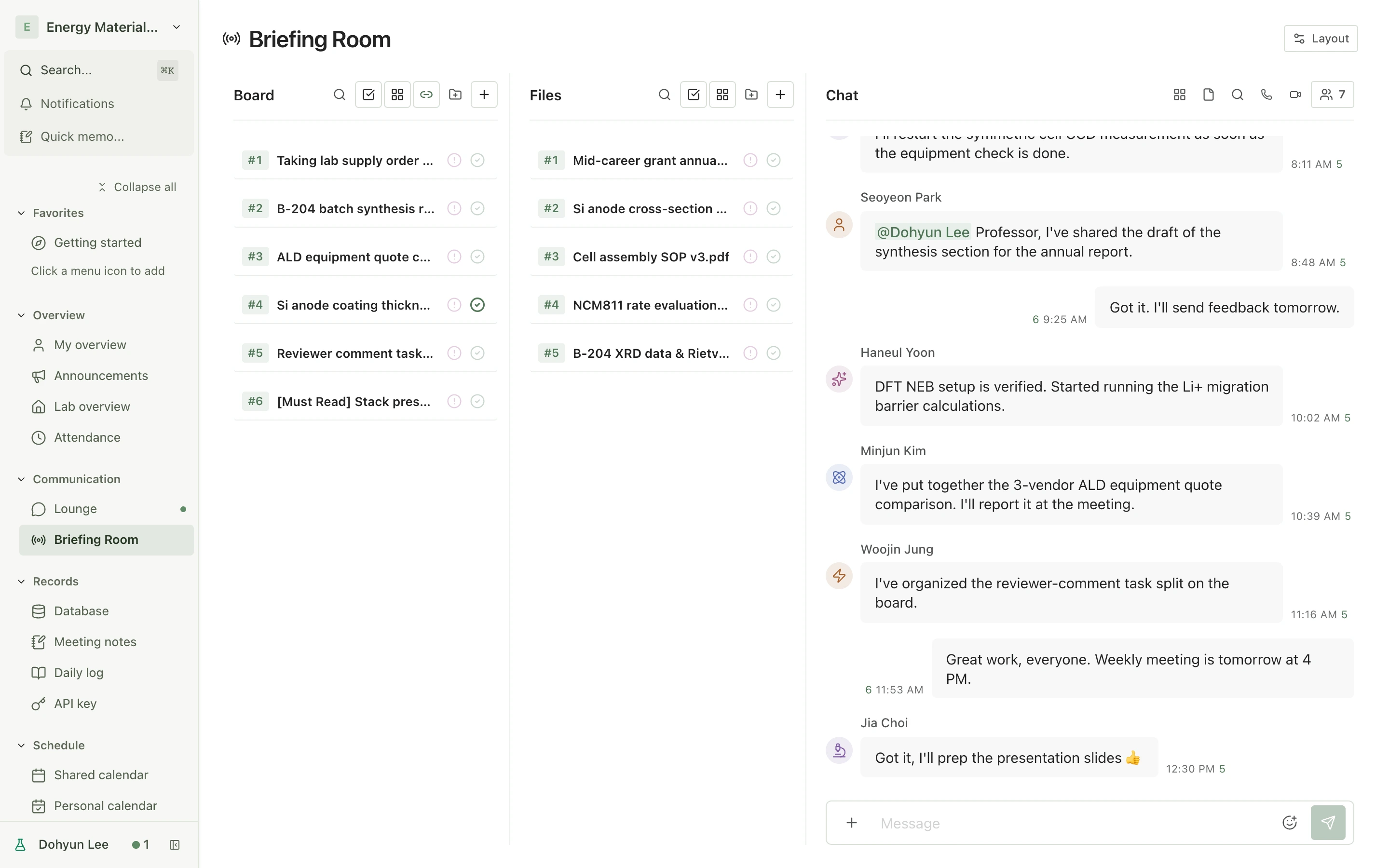
Discuss in chat, collect decisions on a board, and keep files alongside them. Bring the details together in briefing rooms and projects.
View full sizeBoards, files, and conversations, together in your lab workspace.
Research notes
Read the note. Share your feedback.
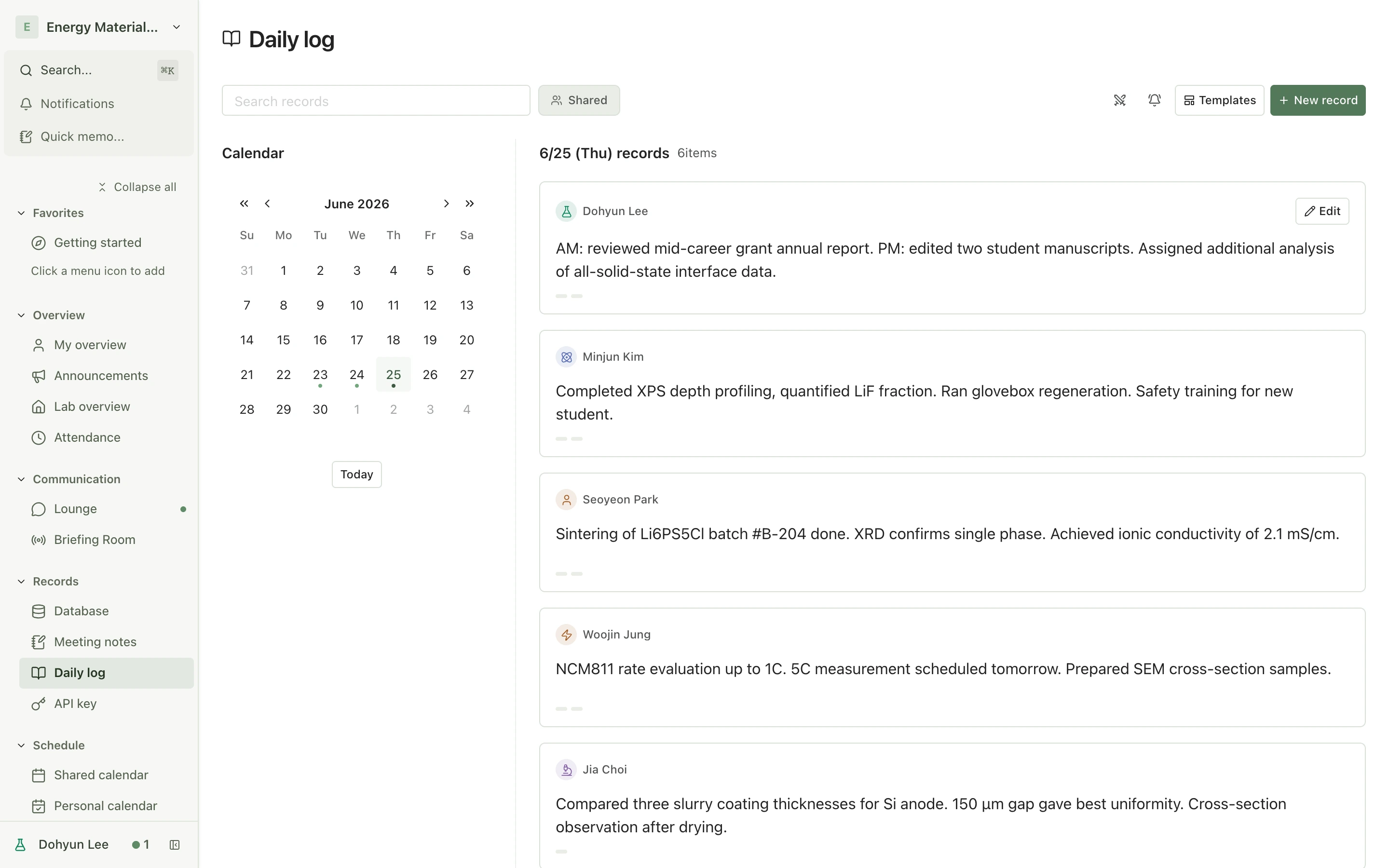
Record experiments and observations. Link them to research, meetings, and projects. Keep feedback in context with comments and reactions.
View full sizeKeep daily research and team feedback in the same context.
For researchers
See the research you contribute to and your related notes, ready for the next task.
For principal investigators
Follow the work behind each result and discuss it with your team.
03A growing body of knowledge
Put past work
to work again.
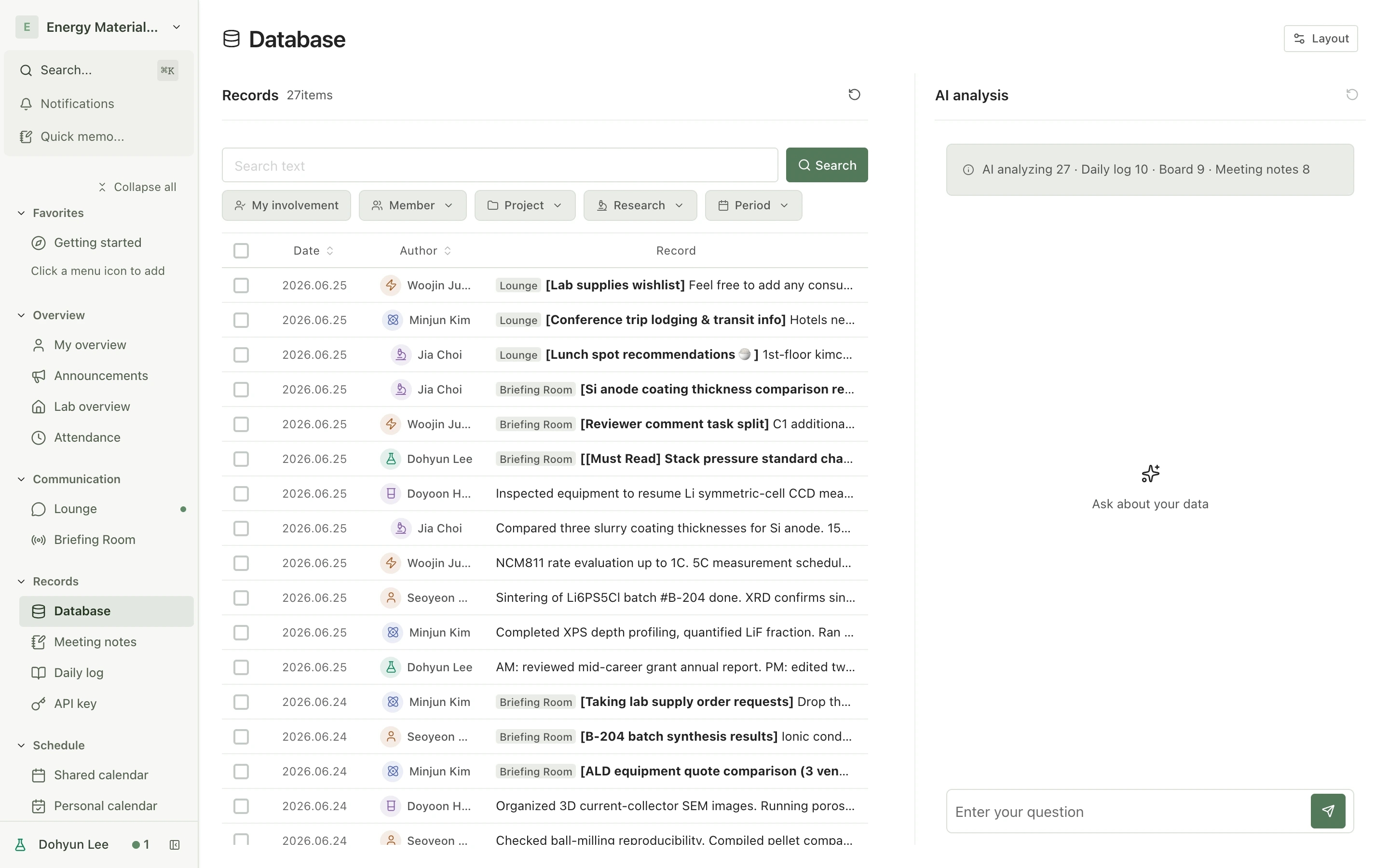
Find an earlier experiment, revisit a meeting decision, or return to a reference paper. Build on your lab’s records and materials, including completed projects.
Find research notes
View full sizeSearch daily notes, board posts, and meeting notes, then open the original.
Paper archive
View full sizeOrganize your lab’s papers and reference literature with bibliographic details and PDFs.
Research meets AI
Your research.
A head start for AI.
Ask questions grounded in your papers, experiments, records, and feedback. Bring results from connected agents back into your lab.
Your lab’s materials
Papers and experiments
Records and meeting notes
Materials and feedback
Connected AI
Only what you allow
Summarize · Compare · Analyze
Results back to your lab
Records · Meeting notes · Files
External agents connect through the API. Access follows your read and write permissions and supported operations.
Built around your lab’s data
Your materials.
Your control.
Control access
Access follows account roles and sharing settings. Set read and write permissions for the AI you connect.
Take your records with you
Export research records and data as Markdown or CSV. Available formats depend on the material.
Recover deleted records
Review and restore records while they are retained in the trash.
Before you get started
Can I join a lab that already uses Benchlog?
Yes. Create an account and join with an invitation code. You can also create a new lab workspace.
Do I need to connect AI to use Benchlog?
No. Manage research, keep records, and share conversations and materials without connecting AI. Add an external agent when you need one.
Bring your research together.
Keep it moving with Benchlog.
Papers, experiments, records, and feedback.
A shared workspace for your lab.